Hold From Payment
AP > Hold From Payment
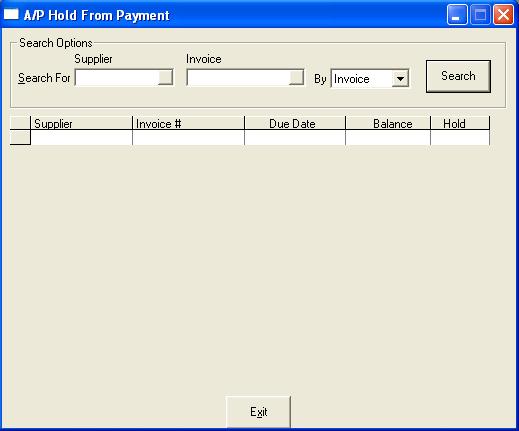
Search For: This is the information we are searching for
Supplier: Which supplier code you wish to change the hold status on
Invoice: Which invoice code you wish to change the hold status on
By: This is what field we are searching by and this will change the options available after clicking search
All: All suppliers and invoices will be selected. When all is selected, you cannot change the supplier or invoice fields
Supplier: Searching will be by the supplier code entered
Invoice: Searching will be by the invoice number entered. When searching by invoice, an invoice code is recommended but not mandatory
If you search by all
You have chosen to place all suppliers and invoices on/off hold
Hold All: place all suppliers and invoices on hold
Remove All: remove the hold from all suppliers and invoices
If you search by supplier
You have chosen to place all invoices for the selected supplier on/off hold
Hold: place all invoices for the selected supplier on hold
Remove Hold: remove the hold from all invoices for the selected supplier
If you search by invoice
You have chosen to place individual invoices for the selected supplier on/off hold. You can double click, press F2, type Y/N on the selected line to change the hold to Yes/No.