Disabling Click to Pay for a Customer
If you have a customer that you do not want to use Click to Pay with, you can disable the payment link on any invoice where the customer is the Bill To, and also disable AR payment links. Doing this can prevent staff from mistakenly generating and sending a payment link to the customer.
The Click to Pay AR Payment feature is an add-on for EPASS Software. To enable this feature, contact EPASS Support and talk to one of our representatives.
To Disable Click to Pay for a Customer
-
Open the Customer's record in Edit mode.
-
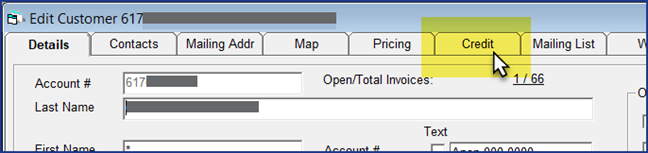
Click the Credit tab.
-
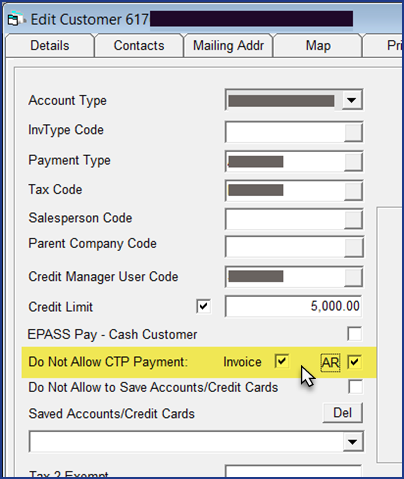
Select Do Not Allow CTP Payment for Invoice, AR, or both.
-
Click OK to close the customer record.
If you selected Invoice, the Payment Link is now hidden and disabled in any Invoice Header's where the customer is the Bill To. If you selected AR, the Generate a Secure Payment Link button on the toolbar is disabled for this customer.
See Also
September 15, 2026