Activating Terminals
You can activate new payment terminals through Pulse. Make sure that you have already connected the terminals to your network before you activate them. Follow the instructions that came with the terminals to connect them to your network.
If you have a Move/5000 terminal, view instructions for connecting it to your wireless network here.
Once each terminal is successfully connected, follow the instructions below.
Steps
-
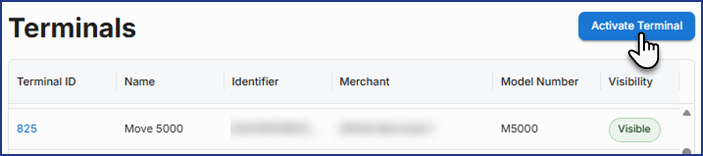
In Pulse's left navigation menu, click Terminals, and then click Activate Terminal.
-
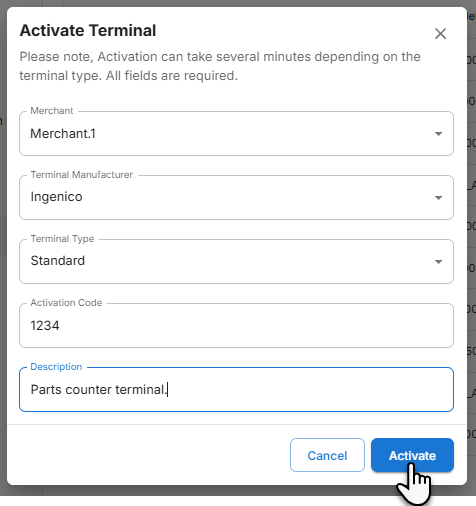
Do the following:
-
Select the Merchant ID, Terminal Manufacturer, and Terminal Type from the dropdown menus.
-
Enter the Activation code displayed on the Terminal's screen and a Description.
-
-
Click Activate.
If activation of the terminal is successful, it will appear in the terminal list.
See Also
April 2, 2026