Misc Charge Options
Applying a Misc Cost as a Percentage of the Misc Sell Price
There is an option on the Misc Table allowing the Misc Cost to be a percentage of the Misc Selling Price.
Set Up
-
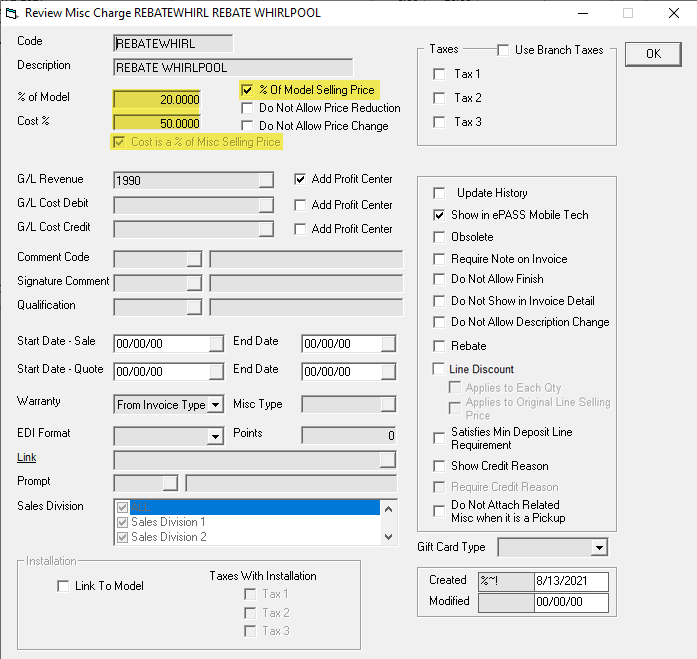
Select % of Model Selling Price. Cost is a % of Misc Selling Price is automatically selected and grayed out.
-
Enter a % in the % of Model and Cost % field.
Example
Create an invoice with REBATEWHIRL:
- Amount : (Model Sell Price ) $499.99 * (% of Model) 20% = $100.00
- Cost : (Amount) $100.00 x (Cost is a % of Misc Selling Price) 50% = $50.00
Applying a Discount to the Original Selling Price
With this option, you can apply a discount to the original selling price instead of the discounted price.
Set Up
-
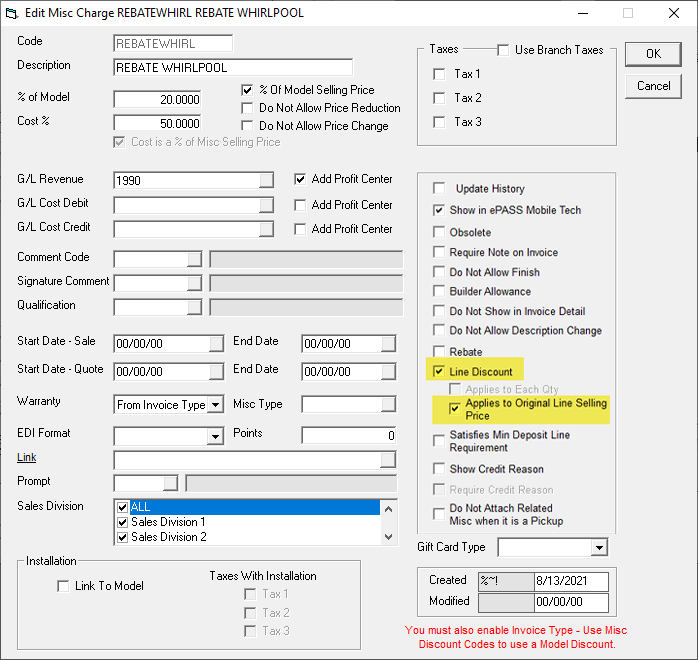
Select the Line Discount and Applies to Original Line Selling Price checkboxes
Example
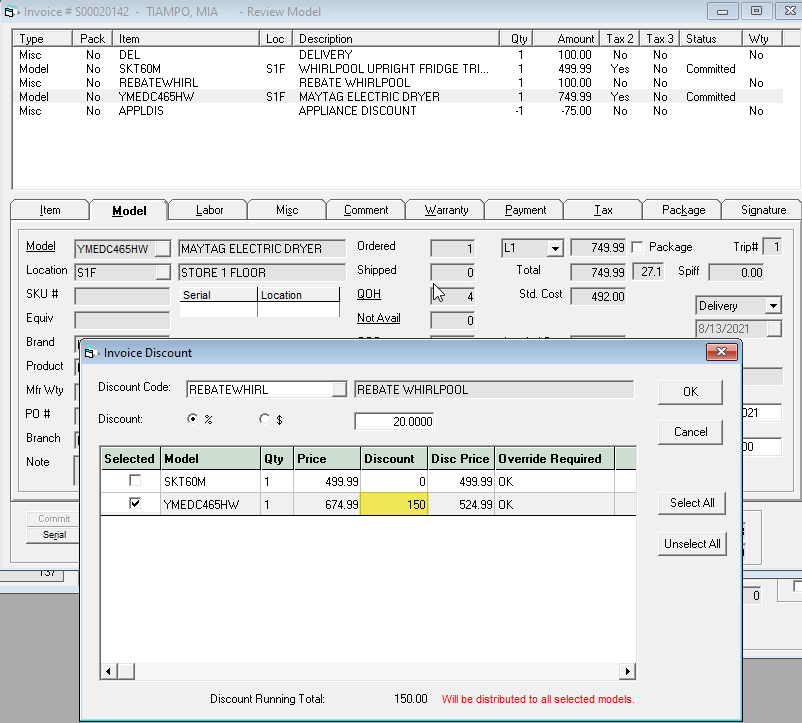
- Apply two discounts to a model using REBATEWHIRL.
- The second discount applied to the model uses the original model sell price.
Discount Calculation : YMEDC465HW $749.99 * 20% = $150.00
See Also
- Adding Misc Charges to an Invoice
- Creating a Sales Invoice
- Adding a Model to an Invoice
- Adding an Item to an Invoice
Updated
November 28, 2025