Using the “Show Immediate Ship QOH” Option on the OE-04 Written Models Report
The Show Immediate Ship QOH option helps you focus on inventory that is available for immediate shipment. When enabled, the report displays only qualifying on-hand inventory from Immediate Ship locations and automatically removes orders that can already be fulfilled by available unreserved serials. This provides a clearer view of inventory that still needs attention and helps reduce unnecessary purchasing or supplier order cancellations.
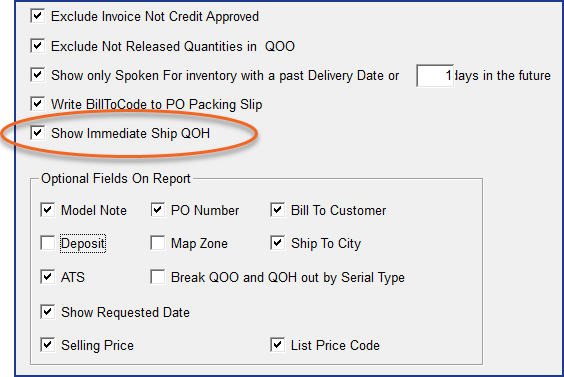
Click here for help with using the other options on the OE-04 report.
When to Use this Option
Use Show Immediate Ship QOH when you want to:
- Review inventory that is currently available for immediate shipment.
- Prioritize available inventory against orders with the earliest delivery requirements.
- Reduce excess incoming stock by identifying inventory that can satisfy existing demand.
- Focus the report on orders that still require inventory allocation.
How the Option Works
When enabled:
-
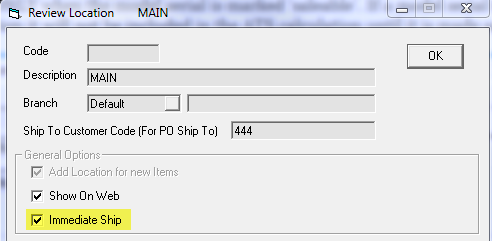
Only available, unreserved serials from locations marked as Immediate Ship are included in the on-hand quantity (QOH) calculation.
-
Orders are evaluated in their normal sequence based on Required Delivery Date (RDD) or Schedule Date, depending on report settings.
-
Orders that can be completely fulfilled by available Immediate Ship inventory are removed from the report results.
-
The inventory used to satisfy those orders is also removed from the displayed available QOH.
-
The remaining report shows the orders and inventory that still require action.
When disabled:
- All QOH is displayed.
- The report follows the original OE-04 reporting logic.
- No Immediate Ship filtering is applied.
- Enable this option when planning inventory commitments for near-term customer orders.
- Review the report regularly to identify orders that still require purchasing or replenishment.
- If you need a complete inventory picture, leave the option unchecked.
Troubleshooting
"I do not see some orders on the report"
If Show Immediate Ship QOH is enabled, orders that can already be fulfilled by available Immediate Ship inventory are intentionally excluded from the report.
"The available quantity looks lower than expected"
The report deducts inventory that has been allocated to fulfill qualifying orders before displaying the remaining available QOH.
"I want to see all available inventory"
Clear the Show Immediate Ship QOH checkbox and rerun the report to return to the standard OE-04 behavior.